Row Crop System v1.0.0.1

Row Crop System v1.0.0.1
Version 1.0.0.1 Stable
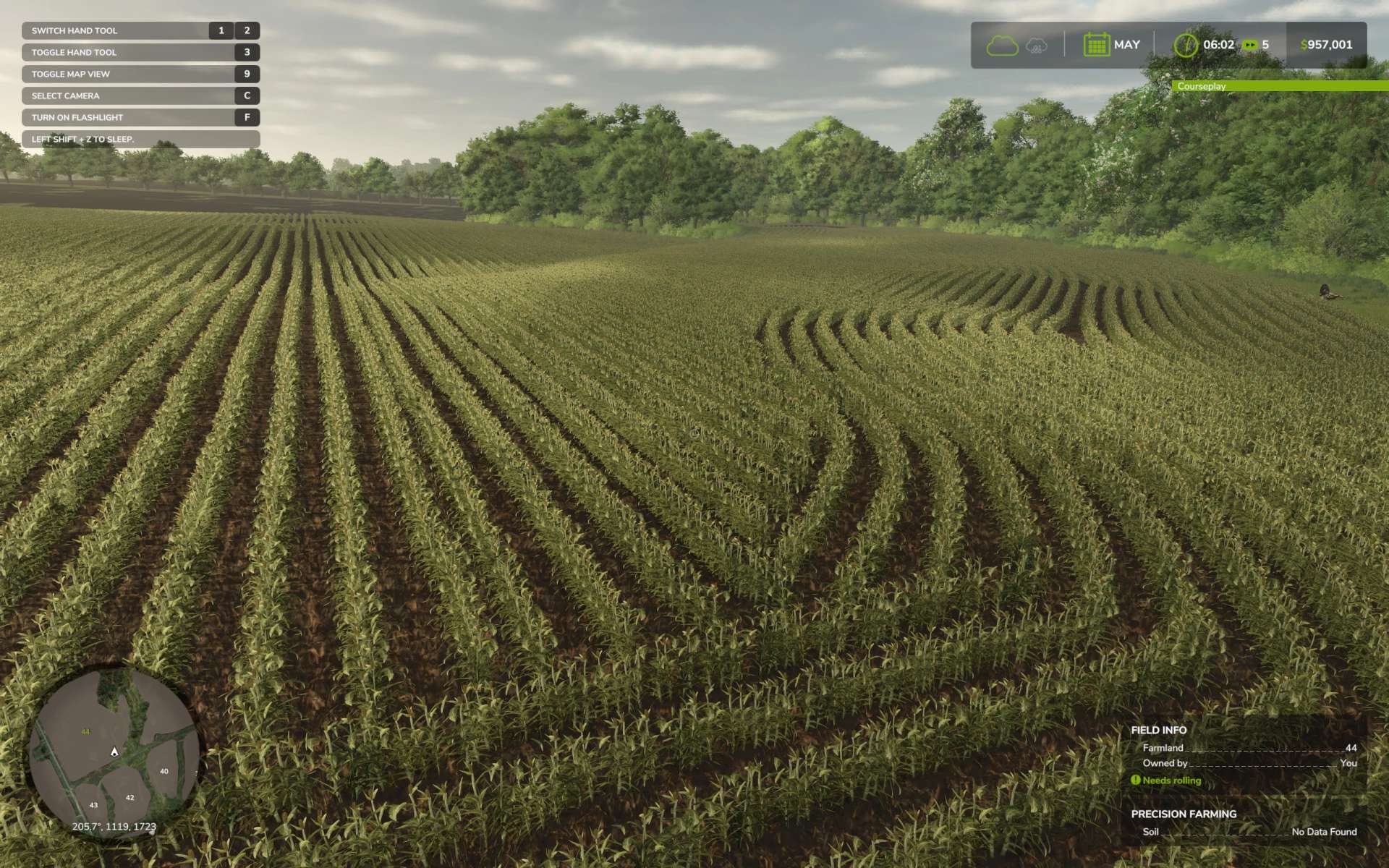
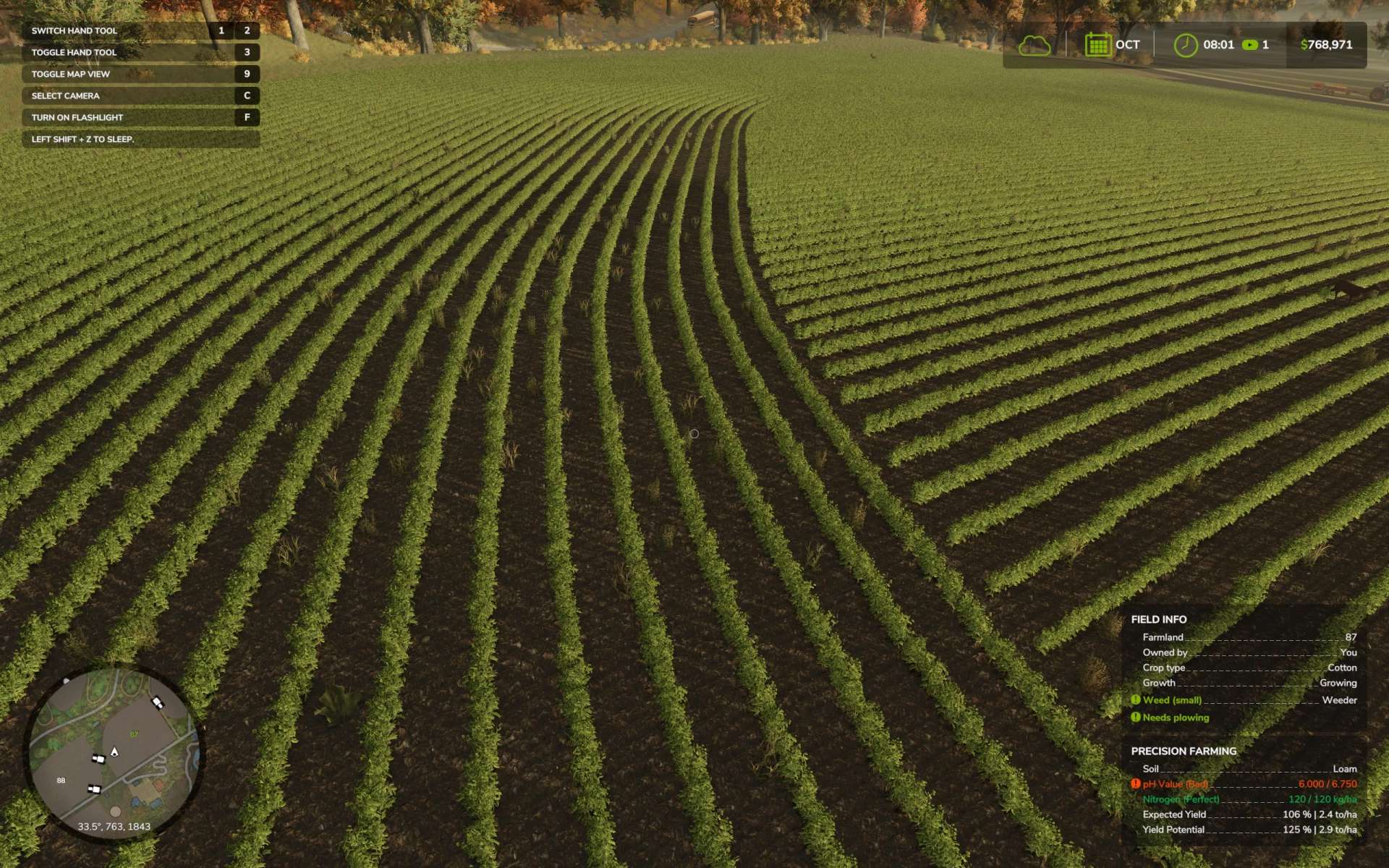
Adds true row planting to the game, which opens up different options when working with the in-game crops.
Important Notes:
This is a completely different system than old RCR and the two are not compatible with one another. Old RCR was primarily xml workarounds, and this is actually programmed into the game. The only things that are the same is the way it looks and part of the map prep process.
You do not need a special planter to use this system. Actually, old RCR planters will not work well with this system at all, causing some features not to work as well as poor performance. Any planter with work areas that follow the vanilla planter work area guidelines, as well as vanilla planters themselves, should work with this system without any type of prep work.
This system does require some map prep work to function. The process is actually very similar to setting up a map for old RCR. You can watch the tutorial, also in this collection, or use the instructions included in the Row Crop System Setup Prefab. This process is not meant for people new to modding.
The system is designed for normal sized or “1X” maps. That being said, I do the best I can to make the system work on larger maps as well. The reason larger maps are harder to support is because the pixel size on those is larger. For example, on pixel on a 4X map is the equivalent of 4 normal map pixels. For that reason, 4X and larger sized maps tend to have blockier looking rows, especially in the lower growth states or when viewing from the air.
Features:
Creates “real” rows in game, rather than simulated. Vanilla paints the entire area with crop and only simulates rows by placing visual foliage at a set spacing over the solid painted area. This system creates actual rows of crop, allowing more angles and more things to be done between the rows.
Allows different spacings by (optionally) setting up planters with different spacing options. Planting at a tighter spacing than what is registered in the map will result in higher seed usage/yield. Planting with a looser spacing than what is registered in the map will have the opposite effect.
Row shutoff functionality added to most in game planters. This removes “overlap” when planting. This configuration can be purchased from the shop. Row shutoff enabled planters can also toggle the feature on and off with the Right Shift + R key. Like all binds, the keybind to toggle the row shutoff can be changed.
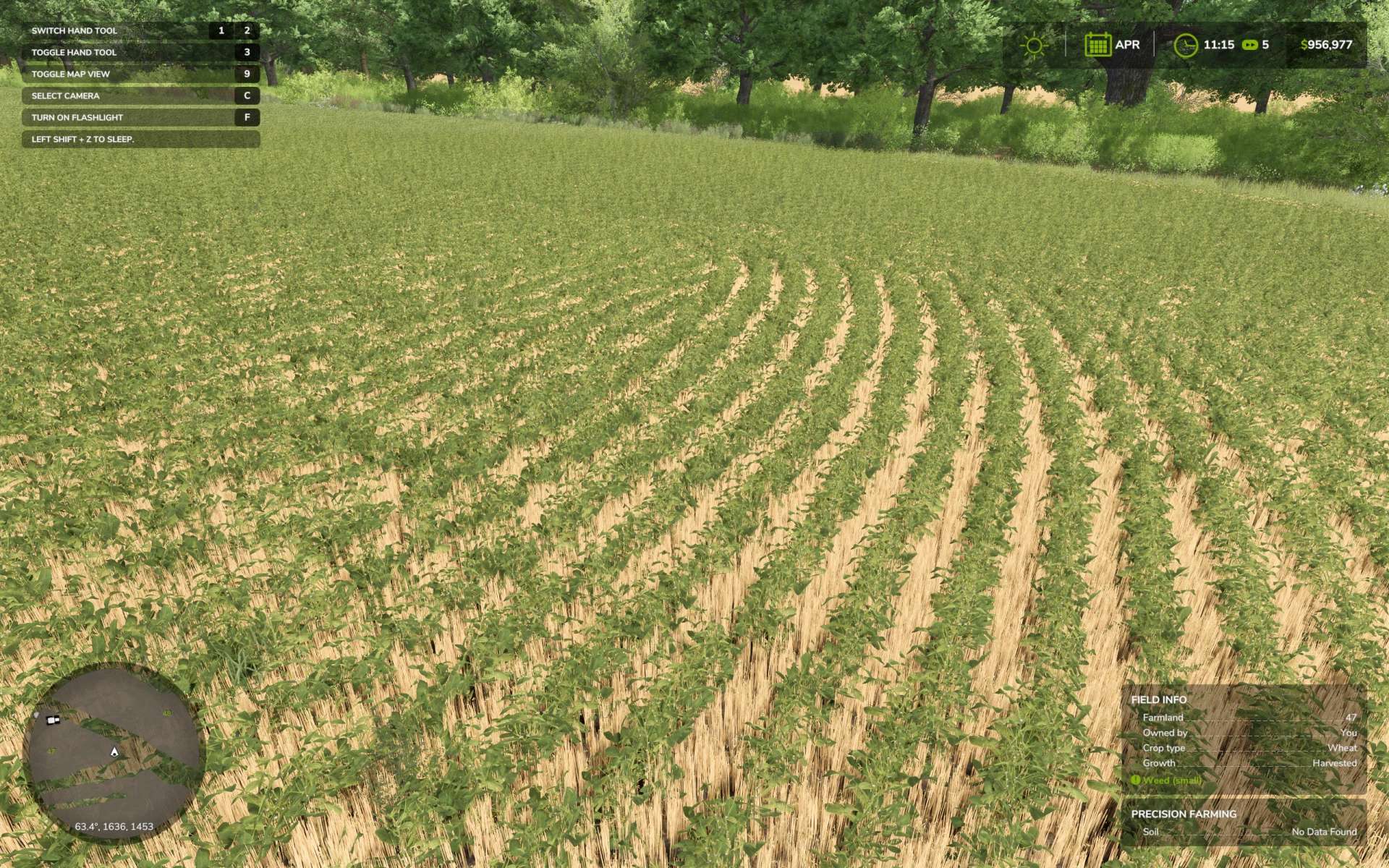
Allows “no-till” planting without removing the existing stubble. People have also used this to “double crop” fields, where they plant things in between the rows of other things.
Although some of the changes required for RCS to function do increase memory usage, the system has been optimized to work much faster than the old xml version of RCR. Most mid-range machines should be able to run with very little performance loss. Personally, I see very little difference in performance between normal and RCS planting.
This system has built in “validators” that will check your map and settings to ensure everything is installed and running correctly. Any issues will display as a pop-up info dialog upon starting the game. These issues must be addressed in order for the system to function as intended.
RCS Compatible Maps/Pages:
Delta South Mapping
Gagefield
I will add more links as I learn of more maps using the system.
For more information, support, or updates consider joining the Patreon. The latest version of everything will be found there. Thank you.