Roundabout texture for advance direction signs from the R5 Tool v1.0.0.0

FS25 Textures

Roundabout texture for advance direction signs from the R5 Tool v1.0.0.0
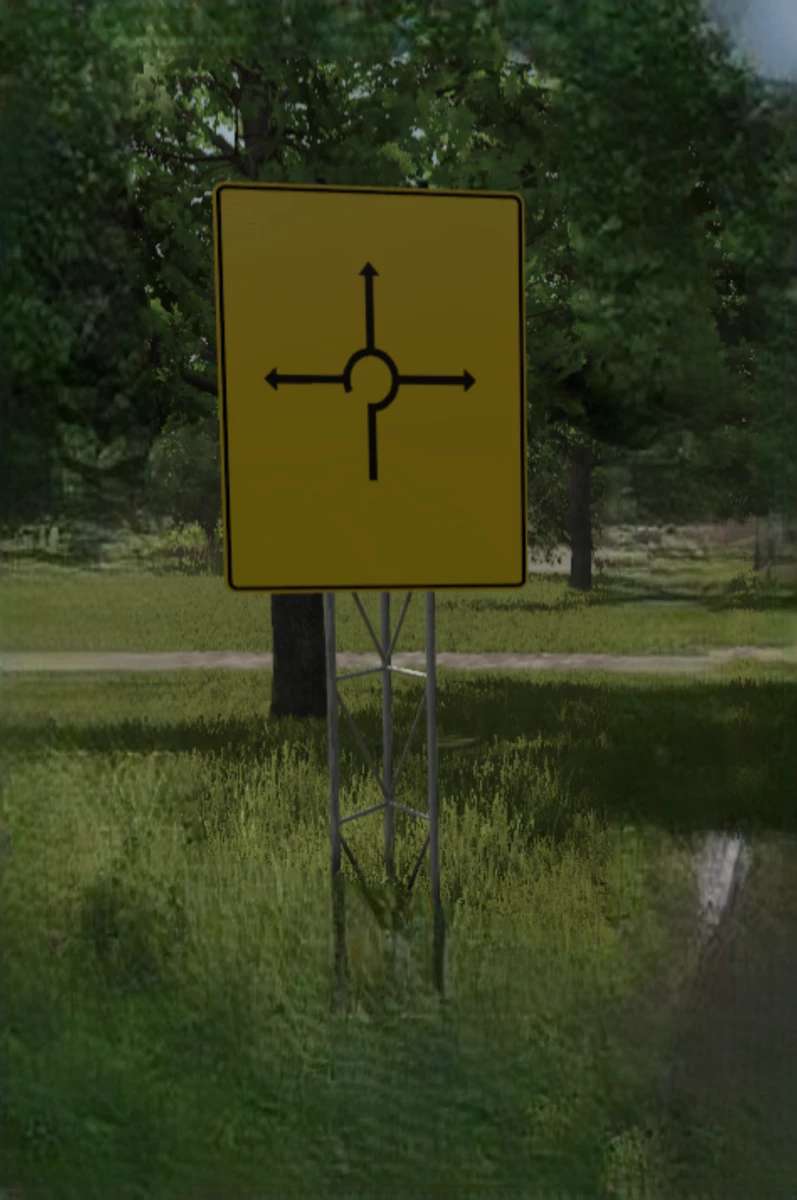

Roundabout texture for directional signs from the R5 tool, allowing you to include roundabouts on the signs. Need support? Just join our Discord!
This simplifies creating signs in the Giants Editor for roundabouts on directional signs that already have the texture.
Included is the “specular” version.
For this, you simply need to add the textures and city names to the directional signs in the R5 (Modding World), and you’re all set.
If you encounter any problems, please create a support ticket on our Discord!
Author:
Agrar.Domi


What is FS25 mod use for:

Have you ever tried using Farming Simulator 25 mods? If not, it’s high time you do. This is the perfect place to find everything that you need to know! Farming Simulator 25 Mods will have a huge impact on your initial game. We are not saying that the original game is not good enough, but there is always room for improvement and extra challenge. We believe that you might want some more tools, more extensive choice of vehicles and other elements in your game. Also, the game itself provides you with different mods in order to solve disturbing bugs. Overall, FS25 / FS22 mods help to lift the experience of the game, which makes it more interesting. LS 25 / 22 mods will enable you to create your own specific and unique experience and since there are many different FS25 / FS22 mods, you can slowly introduce them into your game and make it completely your own. On the plus side, the LS 25 / 22 mods are all completely free, so don’t be afraid to try them out because you will not be charged any hidden fees. So, now you should definitely be convinced to download Farming Simulator 25 / 22 mods and begin customize your game!


You may also like...

Leave a Reply

Your email address will not be published. Required fields are marked *