Radio Enhancements V1.1.0.0

Radio Enhancements V1.1.0.0
This script adds several useful enhancements to the in-game radio system.
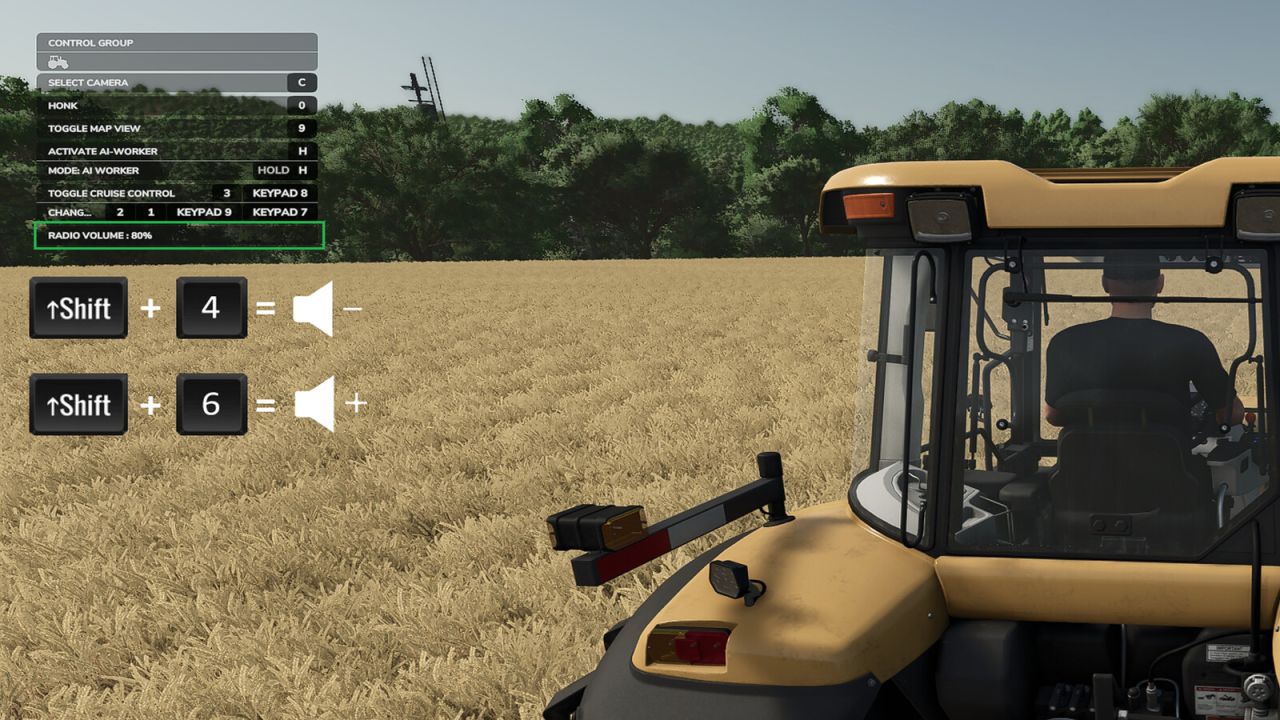
1. You can now change the radio volume in vehicles at any time without opening the menu.
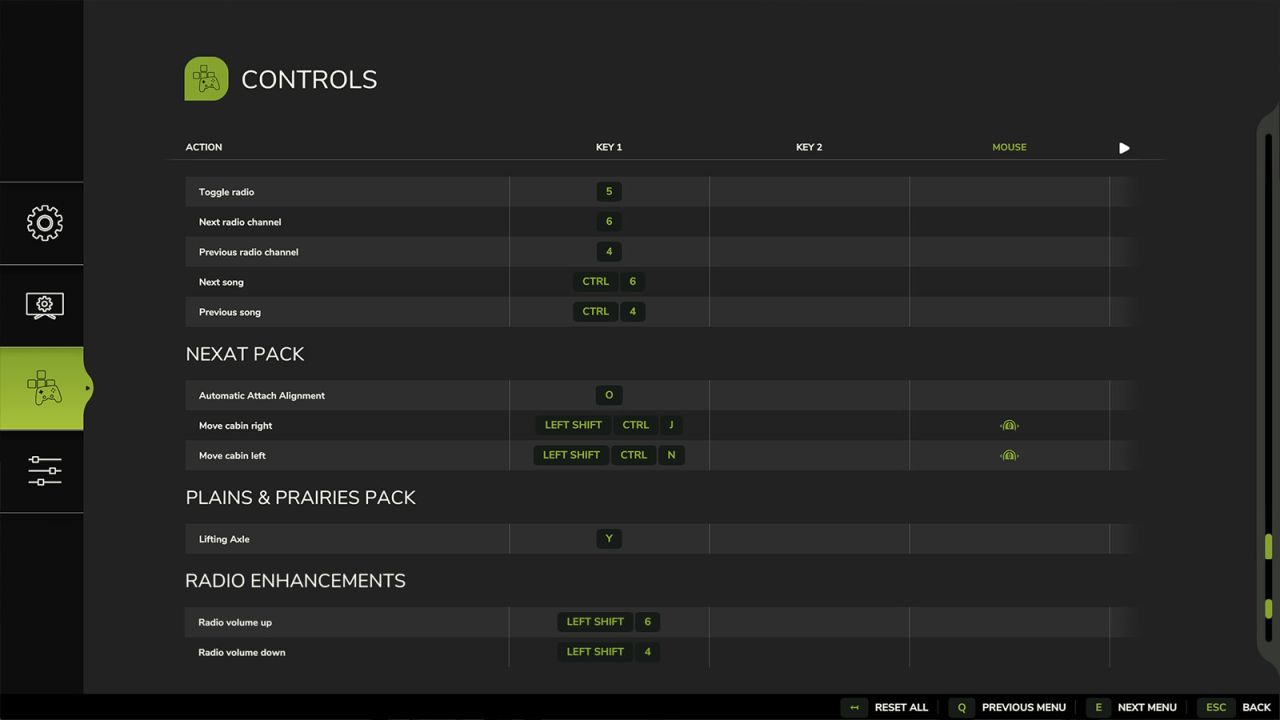
Default keys:
– Left Shift + 4 quieter
– Left Shift + 6 louder
The keys can be changed in the menu settings.
2. The current radio volume is shown for a short time in the F1 menu and then disappears again.
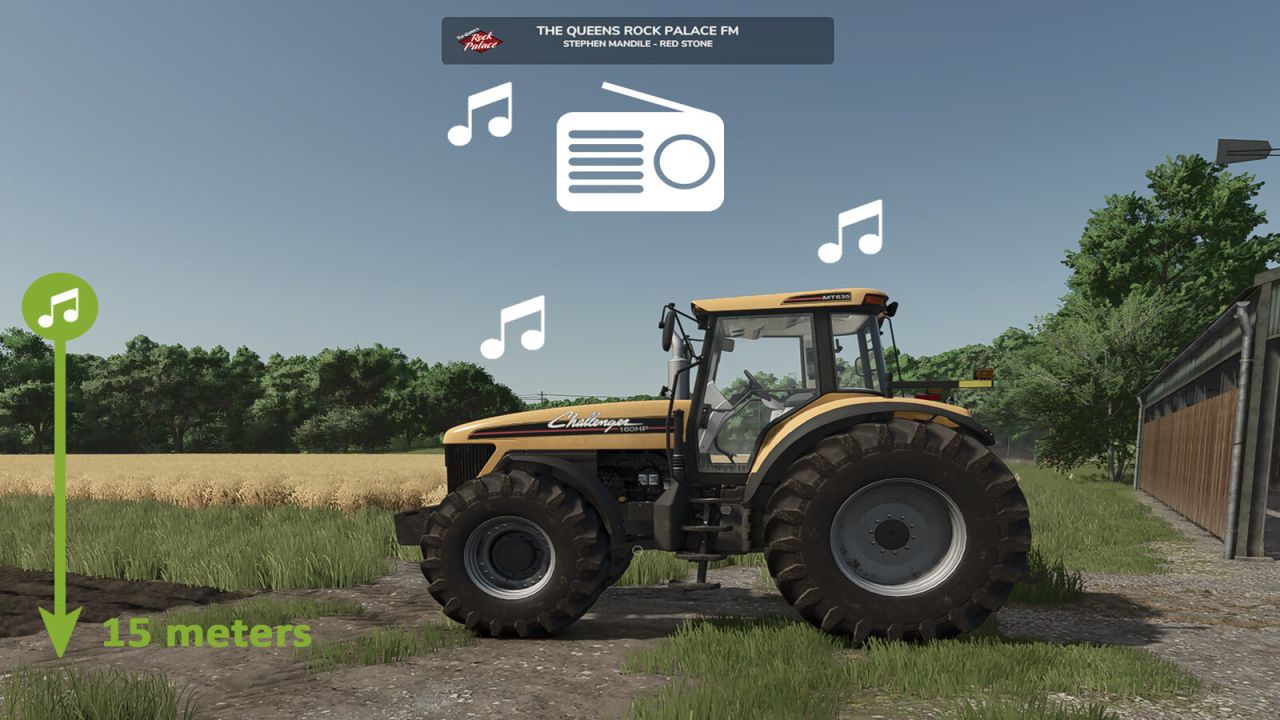
3. If you leave a vehicle while a station is playing, you can continue to hear the radio up to a certain distance.
– after leaving the vehicle, the volume is reduced to 50% of the current value (can be changed)
– if you move away from the vehicle, the music becomes quieter and quieter (maximum distance can be changed)
– if you move closer again, the volume gradually increases
– the radio must be switched off manually in the vehicle to disable this function
– the radio state (on/off) is saved individually for each vehicle
– helpers switch the radio on by default – you can hear it when driving past :) (helper radio can be disabled / changed)
– a RadioEnhancements.xml file is created in the modSettings folder where you can change values
4. Multiplayer
– the script synchronizes the radio status (on/off) of your multiplayer vehicles
– if another player drives past you with the radio switched on, you will hear it too
What I unfortunately cannot change
– unfortunately it is not possible to save specific radio stations for individual vehicles
– all vehicles still use the same global preferred station
– in multiplayer you hear your own client-side selected station in another player’s vehicle, not theirs
Changelog 1.1.0.0
– Radio volume is now saved separately for each vehicle ID (for example: Vehicle A > 100% / Vehicle B > 20%). Some engines are simply louder or quieter
– Radio status and volume are now saved individually for each vehicle in the savegame and loaded when the game starts
– In multiplayer, you can now hear volume changes made by other players, not just on and off