Realistic Fog Events v1.0.0.0
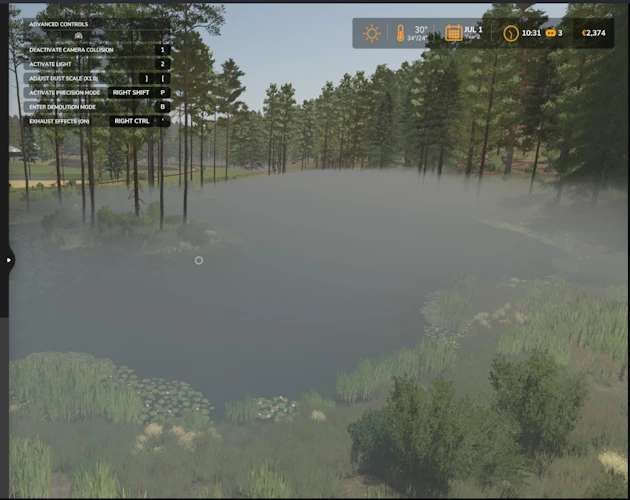

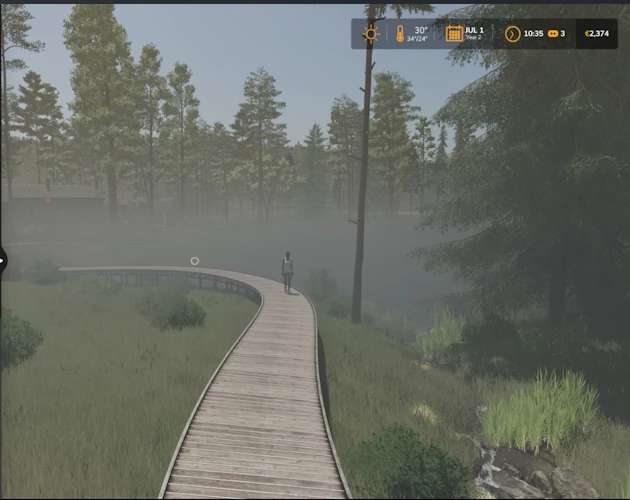
Realistic Fog Events v1.0.0.0
Realistic Fog Events Released — Fog That Forms, Lingers, and Burns Away
Realistic Fog Events is now available for Farming Simulator 25!
Have you ever wanted atmospheric morning fog but rarely—or never—received any naturally? Realistic Fog Events adds temporary, weather-aware fog events without permanently overriding your map’s normal weather.
Natural, Condition-Based Fog
Every morning, the mod considers:
The current season
Ground wetness and rain
Temperature
Wind conditions
Time of day
Fog is more likely during spring and autumn, following wet weather, during cooler temperatures, and when winds are calm. Hot weather and strong winds reduce the chance.
Events gradually form before sunrise, linger through the morning, and naturally burn away. Once an event ends, the mod returns complete fog control to the map.
Three Fog Profiles
Natural events can produce:
Light Fog
Moderate Fog
Dense Fog
Each profile creates a different level of visibility and atmosphere while maintaining smooth fog values to prevent flashing or flickering.
In-Game Fog Control Menu
Press Right Alt + 4 to open the Fog Control menu.
The default shortcut can be changed through FS25’s normal Controls settings. Look for:
Realistic Fog Events: Open Fog Control
The player’s current assignment is also displayed in the F1 help panel.
Menu options include:
Automatic — Use natural morning fog scheduling
Clear Fog — End the current event and prevent another event that day
Light Fog — Force light fog for two in-game hours
Moderate Fog — Force moderate fog for two in-game hours
Dense Fog — Force dense fog for two in-game hours
The menu displays the current mode, active profile, fog strength, and scheduled ending time. It can be used with a mouse, keyboard, or controller and opened both on foot and inside a vehicle.
How Is This Different From a Basic Fog Controller?
Realistic Fog Events is not simply an on/off fog switch.
It creates temporary fog events that respond to the environment, gradually form, remain for a realistic period, and then burn away. Manual controls are still included for screenshots, roleplay, early-morning work, or those moments when you simply want fog now.
No developer console commands are required for normal use.
Compatibility Protection
Realistic Fog Events automatically disables itself when another known fog or realistic-weather controller is active. This prevents two mods from fighting over the same fog renderer and causing unstable visuals.
Do not activate this mod alongside FS25_FogControl or another realistic-weather controller.
The separate Moisture System is not treated as a conflict.
Release Information
Version: 0.2.0.3
Farming Simulator 25
Single-player
Script mod
Multiplayer is not currently supported
If you experience a problem, please include your game log and mention the map you were playing. Feedback about fog strength, timing, visibility, and performance is welcome.
Enjoy the foggy mornings!